Crop Page From PDF Online
 Same Crop
 Custom Crop
Loading PDF __ / __
Need to crop page from PDF quickly without installing software? The Pi7 PDF Cropper makes it easy to crop any page in a PDF directly in your browser. In just a few seconds, you can select the area you want to keep, crop the page, and download the result instantly.
The best part is that your files never leave your device. This tool processes everything locally in your browser, which keeps your documents private and secure.
Whether you need to remove unwanted margins, focus on a specific section, or crop a single page from a PDF, this tool makes the process simple and fast.
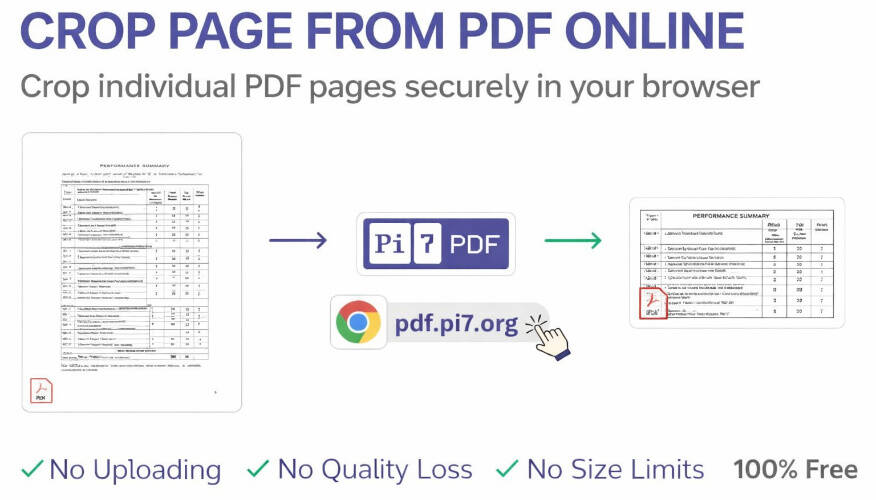
How to Crop Page From PDF
Follow these simple steps to crop a PDF page online:
- Upload or open your PDF file in the tool.
- Navigate to the page you want to crop.
- Draw a rectangle around the section you want to keep.
- Click the Crop Page button.
- Download the cropped page as a new PDF file.
This method lets you crop individual PDF pages easily without affecting the rest of the document.
Key Features of Pi7 PDF Cropper
- Crop a Single Page Easily: You can crop single page from a PDF without modifying the entire file. This is useful when only one page needs editing.
- Secure and Private: Your PDF files are processed directly in your browser, so they are never uploaded to any third-party server.
- No Quality Loss: The tool keeps the original PDF quality unchanged after cropping.
- Works with Large PDFs: Even if your PDF file is large, the tool can still crop PDF page quickly.
- Unlimited Usage: You can crop page from PDF as many times as you want with no limits.
- Completely Free: This tool is 100% free, with no hidden fees or subscriptions.
Why Use This Tool to Crop Individual PDF Pages?
Many PDF editors require installation or paid subscriptions just to crop page in PDF. Pi7 PDF Cropper removes that hassle by offering a simple online solution.
It is perfect for:
- Removing unwanted white margins
- Cropping scanned documents
- Extracting important sections of a page
- Preparing documents for presentations or sharing
With just a few clicks, you can crop individual PDF pages exactly the way you want.
Crop Page From PDF Online for Free
If you want a fast and secure way to crop page from PDF, this tool is the perfect solution. It works instantly in your browser, maintains original quality, and lets you crop single page or multiple pages without any restrictions.
Try Pi7 PDF Cropper now and crop your PDF pages in seconds.