PDF Highlighter - Highlight Text in PDF Online
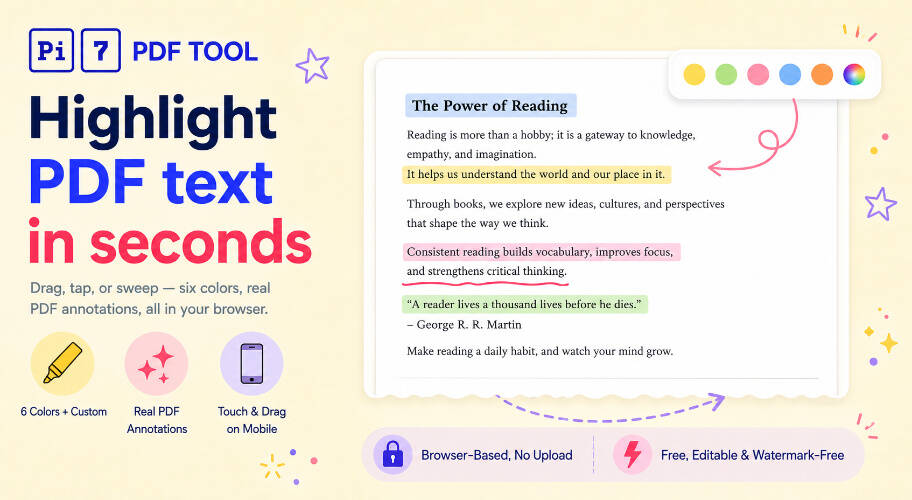
Free PDF highlighter. Drag across text to highlight it, tap a highlight to remove it. 6 colors, custom picker, opacity control - all in your browser.
Highlight text in any PDF online for free with the Pi7 PDF Highlighter. Drag across the text, pick a color, and download a PDF with your highlights baked right in. Works on regular PDFs and on scans, on desktop and on your phone - all in your browser, no upload, no signup, no watermark.
How to Highlight Text in a PDF Online
- Upload your PDF.
- Drag across the text you want to highlight. Pick any of the 6 colors and tweak the opacity if you like.
- Click Download PDF. Done.
Want to brighten a faded scan first? Try our PDF contrast editor.
Colors and Opacity
Five ready-made colors - yellow, green, pink, blue, orange - match the standard highlighter set you'd find at any stationery shop. Yellow is the default because that's what most highlights use. The 6th swatch is a full color picker, so you can pick any shade you want and it's saved for next time.
Use the opacity dropdown to make highlights soft (20%) or bold (90%). The default 45% looks like a real highlighter on paper - the text underneath stays readable.
Works on Scanned PDFs Too
If your PDF is a scan or photo, you can still highlight it. Just drag a rectangle over the area you want to mark - the cursor switches to a crosshair on those pages automatically. Same colors, same opacity.
Want word-perfect highlighting on a scan? Run it through our OCR tool first to make the text selectable, then come back here and drag-select normally.
PDF Highlighter on Your Phone
- Drag your finger across text to highlight a sweep of words.
- Tap a single word to highlight just that word.
- Tap any highlight to remove it.
- Pinch to zoom - your highlight won't trigger by mistake.
Your PDF Stays on Your Device
Your PDF never leaves your device. The tool reads the file locally and writes the highlighted copy right inside your browser tab - nothing is sent anywhere. Open the page, highlight, download, close the tab, and the file is gone.
That means no upload time even on a big PDF, no usage limits, and no watermark on the result.
Frequently Asked Questions
How do I highlight text in a PDF online?
Open the Pi7 PDF Highlighter, upload your PDF, drag your cursor or finger across the text you want highlighted, pick a color, and click Download PDF.
Are my files uploaded to a server?
No. Your PDF stays on your device. The tool runs entirely in your browser.
Can I edit or remove the highlights later?
Yes. By default, highlights are saved as editable highlights - you can change their color or remove them in any PDF reader. If you turn on Flatten on export before downloading, highlights become permanent and can't be edited.
Ready to highlight that PDF? Drop your file above and try it.