OCR PDF Online Free in 100+ Languages
Turn a scanned PDF into a searchable one, right in your browser
Drop a scanned PDF above, pick its language, and Pi7 reads it with OCR inside your browser - nothing is uploaded. The result is the same document with a real text layer underneath, so you can search it, select from it, and copy out of it. You also get the recognized text itself, as a copy button, a TXT file or a DOCX.
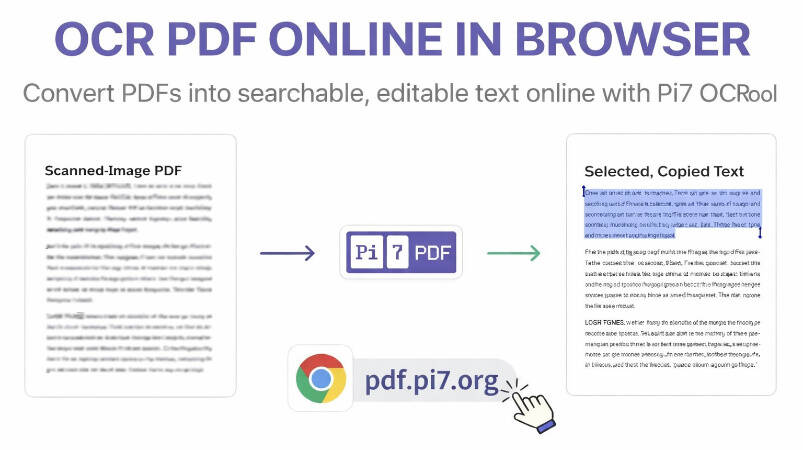
How to OCR a PDF
- Add your scanned PDF, or several at once - files are opened by your browser, not sent to a server. A batch is read one file after another, each with its own download.
- English is picked by default. Choose up to three languages if the document mixes them.
- Click Start OCR and watch the pages being read. A Cancel button sits next to the progress if you change your mind.
- Download the searchable PDF, or take the text itself with Copy Text, Download .txt or Download .docx.
There is no page or size limit - a long document simply takes longer, and the Cancel button is there if you change your mind. The first run downloads the reader engine once, and your browser keeps it for every run after that.
How Fast Is Browser OCR?
Faster than uploading. There is no transfer wait and no queue on somebody's server, because the reading happens on your own machine - and it happens in parallel. The tool starts up to four readers side by side and hands each one a page. In our own test, a six page scan went from file pick to finished searchable PDF in 18 seconds. Reading the same pages one at a time took 40.
Pages that already contain digital text are not read at all. They are copied into the result byte for byte. A half-scanned report keeps its digital half perfect, and only the scanned half is worked on.
Built for Scans That Usually Fail
Plain OCR falls apart on anything that is not black text on white paper. This tool carries the clean-up pipeline from our image reader, so the hard cases work too:
- Coloured and patterned backgrounds: passports, certificates and ID cards get a second read on a cleaned copy, where the background pattern is stripped and the ink kept. The read that recovers more real words wins.
- Sideways and upside-down pages: a page whose first read comes back as noise is probed at each quarter turn. It is read again at the best one and comes out upright in the result.
- Tilted phone scans: the tilt is measured and the page turned level before reading - and the straightened page is what you download.
Get the Text Out, Not Just a Searchable PDF
Often the searchable PDF is only half the job, because what you actually need is the words. After a run, the recognized text of the whole document - digital pages included - is one click away. Copy it to the clipboard, save it as a plain TXT, or as a DOCX that opens in Word. If the document needs real editing afterwards, our PDF to Word converter goes further and rebuilds the layout. The word counter can size the text without opening it anywhere.
Your PDF Never Leaves Your Device
The whole job - rendering pages, reading them, building the searchable PDF - runs inside your browser tab. Nothing is uploaded, so there is no server copy to delete and nobody to trust with the file. Even the reader engine and the English language data are served from this site rather than a third party. You can watch the network tab while it works and confirm no file leaves the page.
That matters for OCR more than for most tools. The PDFs people make searchable are contracts, bank statements, medical letters and identity documents. Those are exactly the files that should not sit in a stranger's upload folder. If the result is sensitive, you can password protect the PDF before sending it on, also without uploading it.
Frequently Asked Questions
How accurate is the OCR?
On a clean scan, very - the engine is Tesseract, the same reader used by countless document systems. Accuracy drops with blur, small print and heavy background patterns, which is exactly what the second cleaned-copy read is for. Numbers and names are still worth a glance before you rely on them.
Which languages does it support?
More than 100, from Hindi, Tamil and Bengali to Arabic, Chinese and Russian. You can select up to three at once for mixed documents. Each language's data downloads on first use and is cached by your browser, and English is served straight from this site.
What happens to pages that already have text?
They pass through untouched. The tool checks every page for a real text layer first, and only image pages are rendered and read. That keeps digital pages pixel-perfect and makes the run faster, since there is less to do.
Why does the first run take longer?
The reader engine is a few megabytes and downloads once, with a progress line telling you so. After that your browser serves it from cache. A typical scan then reads in a few seconds per page, less when several pages run in parallel.