Word to PDF Converter Online Free - No Watermark
Drop a Word file and get a perfectly formatted PDF back in seconds. Supports .docx, .doc, .odt and .rtf. Free, no signup, no watermark.
Convert Word to PDF online free with Pi7. Drop a .docx, .doc, .odt or .rtf file and download a clean PDF in 2 to 10 seconds. No signup, no watermark, and you can convert up to 6 Word files at once and download them as one zip.
We built this tool because most other ways to convert Word to PDF online either ask you to sign up before you can save the file, stamp an advertising banner on the PDF, or cap you at one or two free conversions per day. None of that is acceptable when you are racing to attach a resume to a job application, send a contract before a meeting, or upload an assignment before midnight.
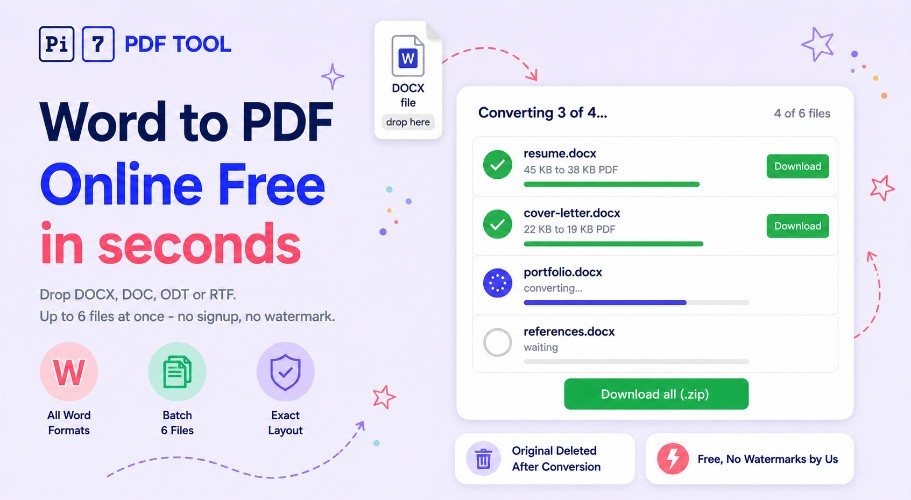
How to Convert Word to PDF Online
Three steps, nothing to install, under a minute even for multiple files:
- Drop your Word file : Drag and drop a .docx, .doc, .odt or .rtf file onto the upload area, or click Select Files to pick one (or up to six at once) from your device.
- Wait for the conversion : The file is sent to our converter, which uses the LibreOffice engine to render an exact PDF copy with fonts, tables, images, headers, footers and layout preserved. Usually takes 2 to 10 seconds per file.
- Download your PDF : When each file finishes you get a per-file Download button. For batches, a Download all (.zip) button appears once at least two files are done so you can grab everything in one bundle.
Need to sign the converted PDF before sending it? Drop it straight into the PDF Signer for a drawn, typed or uploaded signature. Need to add a stamp like DRAFT or CONFIDENTIAL? Use the PDF watermark tool.
Word File Types This Converter Handles
Pi7 supports the four most common Word-style document formats. You can mix and match them in a single batch:
- .docx : The modern Word format used since 2007. This is what most people have.
- .doc : The older Word format used before 2007. Still common for older files and some corporate templates.
- .odt : OpenDocument Text, the native format of LibreOffice and OpenOffice. Common in education and government.
- .rtf : Rich Text Format, a portable text format that many older programs export to.
If you have a different file type (.pages, .gdoc, .txt with formatting), the cleanest path is to open it in its source app, "Save As" or "Export" to .docx, then drop that here. We do not currently convert image-based scans of documents - for that you would scan to PDF first, then use our OCR PDF tool to make the text searchable.
Convert Multiple Word Files to PDF at Once
Select up to 6 Word files in one go (in the file picker hold Ctrl/Cmd while clicking, or drag-select multiple files into the drop area). Pi7 converts them one by one in the order they were picked, shows live per-file progress, and stacks the completed PDFs as separate downloads. Once two or more are done you get a one-click Download all (.zip) option that bundles them into a single archive.
From our experience watching how people convert documents, batches usually mean one of three things: college students packaging multiple assignments before a deadline, freelancers sending a CV plus cover letter plus portfolio in one email, or office workers converting a folder of meeting notes for archiving. The 6-file cap keeps the converter responsive for everyone using it - if you have 30 files we recommend processing them in batches of 6.
Why Convert Word Documents to PDF?
People convert Word to PDF for very practical reasons:
- Layout stays the same on every device : Word docs can shift fonts and line breaks when the receiver opens them in a different Word version. PDF locks the layout so what you send is what they see.
- Universal viewing : Anyone can open a PDF in any browser or phone, even if they do not have Word installed. No "compatibility mode" warnings.
- Smaller file size in many cases : A heavy .docx with embedded images often shrinks when exported to PDF.
- Tamper resistance : PDFs are harder for the recipient to accidentally edit. Good for resumes, contracts, invoices, signed forms.
- Print preparation : Most printers handle PDF more reliably than .docx, especially for headers, footers and page numbers.
- Email and upload requirements : Many job portals, government forms and college submission systems require PDF specifically.
Convert DOCX to PDF on Any Device
The converter runs in any modern browser on Windows, Mac, Linux, Android, iPhone or iPad. There is no app to install and no plugin to enable. You can convert a .docx from your phone the same way you do from your laptop - drop the file, wait a few seconds, tap Download. The output PDF has the same page size as the source Word document (A4 stays A4, Letter stays Letter) so you can print it straight away without re-formatting.
About Your Privacy
We do not read your file, we do not store it, we do not share it. Your Word file is uploaded to our converter, processed into a PDF, and the original is deleted right after the conversion finishes. The output PDF is held briefly so you can download it, and a scheduled cleanup job removes it permanently shortly after.
What this means in practice: no signup (you never give us your email), no daily limits, no watermark on your downloaded PDF, and no tracking of what you converted. The whole flow is single-purpose - upload, convert, download, gone. Nothing about your document is kept for analytics, training or any other purpose.
If your document contains sensitive personal details that you want stripped from the final PDF, run it through our PDF redactor after conversion to permanently black out names, addresses, account numbers or anything else before you forward it.
Why Pi7 for Word to PDF Conversion
- Free forever : No subscriptions, no hidden caps, no "premium" tier.
- No watermark : Your PDF comes out clean - no "converted with X" banner across the page.
- True LibreOffice rendering : We use the same engine that powers LibreOffice itself, so tables, fonts, images, headers and footnotes come out the way Word renders them.
- Batch up to 6 files : Convert a stack of documents in one go and grab them as a zip.
- Friendly error messages : If something goes wrong (password-protected file, unsupported feature) you get a clear explanation and a fix to try - not a cryptic error code.
- Files deleted right after conversion : Your original Word file is removed from our server the moment the PDF is built.
- Works on every device : Any modern browser, any device. Phone, tablet, laptop, desktop.
Ready to convert? Drop your Word file above and your PDF will be in your downloads folder in seconds.