Redact PDF Online Free
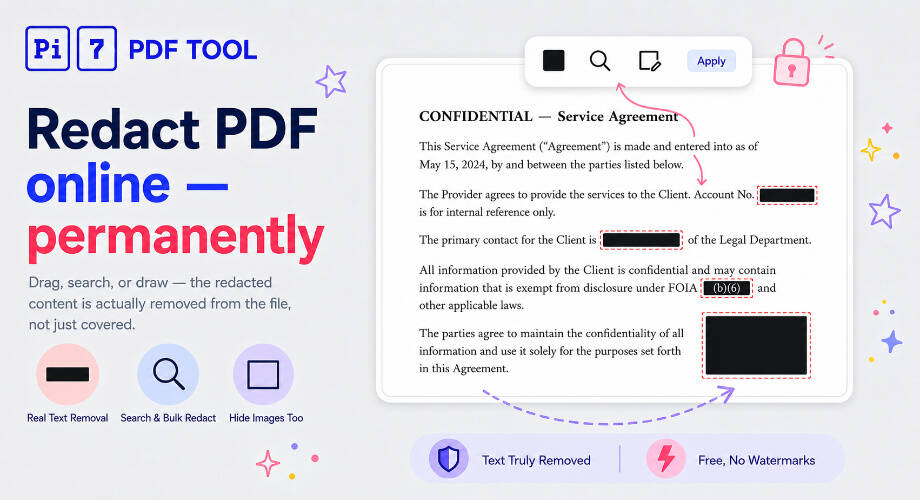
Drag across text or draw a rectangle to mark for redaction. On apply, the marked content is permanently removed from the file - not just covered with a black box. Free, no signup, files auto-deleted.
Redact PDF online for free with the Pi7 PDF Redactor. Drag across text to mark it, search and bulk-redact every match, draw rectangles over images and charts, then download a clean PDF where the redacted content is actually removed from the file - not just covered with a black box.
How to Redact a PDF Online
- Upload your PDF. Drag the file onto the page or tap to browse.
- Mark what to remove. Drag across text to redact it. Pick a bar color (black, white, or custom). Switch to Rect mode to draw a rectangle over an image, chart, or signature. Use the search bar to find a phrase and click Mark all.
- Click Apply & Download. The marked content is permanently removed and a clean PDF downloads automatically.
Need to extract text from a scanned PDF first? Try our OCR tool. Want to highlight passages instead of removing them? Use our PDF highlighter.
Real Redaction vs. Black-Box Cover-Up
Most "free PDF redactor online" tools just draw a black rectangle over the text. The text is still in the file - anyone can select it, copy it, or open the PDF in a different reader to see what's underneath.
Real PDF redaction means the underlying content is removed from the document. That's what this tool does: the marked text is deleted from the PDF's content stream, any overlapping scanned image pixels are blanked, and a colored bar is drawn on top. Recipients cannot recover the redacted content - not by copying, not by switching readers, not by extracting the file's raw text.
Search and Bulk-Redact
Type a name, account number, or any phrase in the search bar. Every match across every page is highlighted in yellow. Click Mark all to convert them into redactions in one click. Combined with the page navigator (bottom-right), you can redact every instance of "John Smith" or a specific phone number across a 100-page document in seconds.
Hide Images and Charts with a Rectangle
On a text page, switch the toolbar to Rect mode to draw a rectangle anywhere - over a photo, a signature, a logo, or a chart. When you apply, the image pixels inside the rectangle are removed, then the bar is drawn on top. On scanned PDFs, the cursor automatically switches to a crosshair on every page since there's no text to select.
Want to do more than redact - change text, add a signature, fill a form? Use our full PDF editor instead.
How Your File Is Handled
Your PDF is uploaded over a secure connection to apply the redactions, then deleted automatically after 15 minutes. Files are never shared, never reused, never used for training or anything else. No account, no watermarks on the result.
Frequently Asked Questions
How do I redact a PDF online?
Open the Pi7 PDF Redactor, upload your PDF, drag across the text you want to remove (or draw a rectangle over an image), pick a bar color, and click Apply & Download. The redacted PDF downloads automatically.
Is the redaction permanent?
Yes. The redacted text is removed from the PDF's content stream and any overlapping image pixels are blanked. Recipients cannot recover what was redacted - not by selecting and copying, not by switching readers.
Are my files private?
Your PDF is uploaded over a secure connection so we can apply the redactions, then deleted automatically after 15 minutes. Files are never shared, never reused, never used for training.
Ready to redact that PDF? Drop your file above and try it.