Multiple Pages Per Sheet
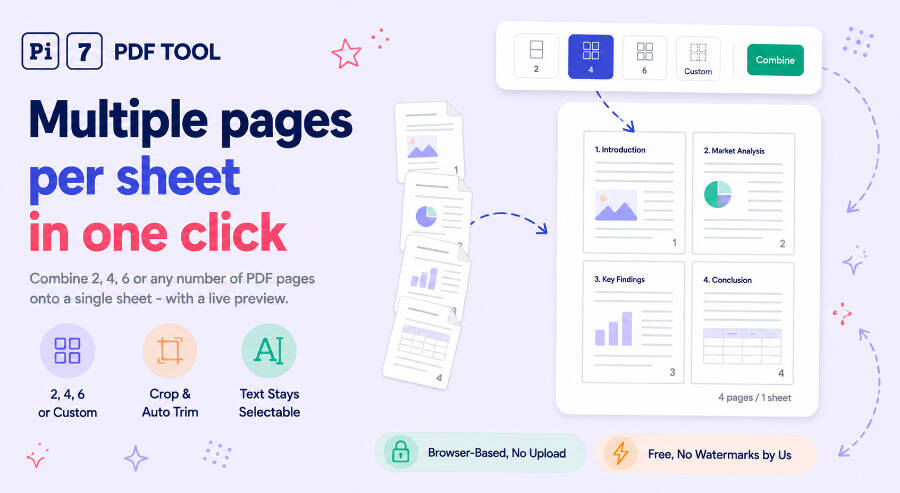
Combine 2, 4, 6 or any custom number of PDF pages onto one sheet, preview it live, and download - text stays selectable.
Combine multiple PDF pages onto one sheet, right in your browser, with a live preview before you download anything. Pick 2, 4, 6 or type any custom count, and the tool works out the grid that fits your pages largest - automatically, and again if you crop them first. Nothing uploads: the file opens, gets arranged and saves back to your device in the same tab.
How to Put Multiple PDF Pages on One Sheet
- Add your PDF. Drop it onto the box or click Select PDF - it opens locally.
- Choose pages per sheet. Click 2, 4 or 6, or pick Custom and type any number from 1 to 25. Crop margins first if you want the pages to fill more of the sheet.
- Check the preview, then download. Page through every sheet with the pager on the left, adjust paper size, spacing or page order on the right, and click Combine and Download.
Choosing How Many Pages Per Sheet
The three pictogram buttons cover the common cases: 2 per sheet for side-by-side comparison or booklet printing, 4 for the standard handout layout, 6 for dense reading copies. Custom takes any number up to 25 and figures out the arrangement itself - 9 pages becomes a 3x3 grid, 5 becomes 3 columns by 2 rows, 2 wide pages stack instead of sitting side by side. You never set columns and rows separately; one number is enough, and a small note under the field always shows the grid it picked.
Multiple Pages Per Sheet or Multiple Sheets Per Page? Same Tool
Both phrases describe the same thing, and this page answers both. Whether you typed "multiple pages per sheet," "page per sheet" or "multiple sheets per page," the goal is identical: several pages from one PDF, shrunk and tiled onto fewer physical sheets - the same idea as the 2-up or 4-up option in a print dialog, done here without printing anything, straight to a new PDF file.
Crop Pages First for a Cleaner Layout
Wide margins are wasted space once four or six pages share a sheet. The Crop pages option opens an editor on each page with a draggable rectangle, or click Auto trim margins and it finds the printed content by scanning for anything that is not near-white and fits the box to it. Crop applies to every page at once, or page by page if a document is not uniform - and because the layout is worked out from the cropped shape, not the original, trimming a page's margins can change the grid itself: two pages cropped down to their top half will stack on a portrait sheet instead of squeezing side by side, because that is what actually shows them larger.
When You Would Use This
Handouts and lecture slides print smaller and use a fraction of the paper at 4 or 6 per sheet. Scripts and reading copies read fine at 2-up and cost half the pages. A quick 6-up or custom grid makes a contact-sheet style overview of a long document, useful for spotting a specific page without opening every one. None of this needs a print queue - the output is a normal PDF you can email, print later, or keep as is.
Text Stays Selectable, Not a Screenshot
Each original page is embedded as a real page object at a smaller size, not rendered to an image and pasted in. Fonts, vector graphics and text all pass through untouched, so the combined sheet is still searchable and its text can still be copied - the only thing that changed is how large each page appears on the new sheet.
Everything Runs in Your Browser
The PDF is read, arranged and rebuilt on your device. Nothing is uploaded to a server, there is no signup, and the download carries no watermark. Close the tab and nothing about the file exists anywhere but your computer - you can confirm it yourself by checking your browser's network tab while combining a file, which stays empty the whole time.
Need to combine several separate PDF files before laying them out, or trim just one page instead of all of them? The PDF merger joins files into one document first, and crop PDF handles a single page's crop with full per-page control. If the finished multi-page sheet is still too large to email, the PDF compressor shrinks it further while keeping the same selectable text.
Frequently Asked Questions
What does multiple pages per sheet mean?
It means several pages from your PDF are shrunk and arranged onto one physical sheet, like a print dialog's 2-up or 4-up option - two, four, six or more original pages become one page in the output file. People also search this as multiple sheets per page or page per sheet; all three describe the same result, just worded differently.
Can I pick exactly how many pages go on each sheet?
Yes. Use the 2, 4 or 6 buttons for the common cases, or choose Custom and type any number from 1 to 25 - the tool works out the column and row split that displays your pages largest, and updates it automatically if you crop the pages afterward.
Does the combined PDF stay selectable and searchable?
Yes. Each original page is placed as a real page object, not a screenshot, so text, fonts and vector graphics stay exactly as sharp and exactly as selectable as they were in the source file, just smaller.