Sign PDF Documents Online Free - Add Signature
Drop a PDF, create a signature (draw, type, or upload), then click anywhere to place it. Add date and text fields too. Free, no signup, browser-based.
Received a PDF signed By Pi7? Verify its audit trail ->
Sign PDF documents online for free with Pi7. Drop your PDF, create a signature by drawing, typing, or uploading a photo, then click anywhere on any page to place it. Everything happens right inside your browser, nothing is uploaded, no signup is needed, and your downloaded file has no watermark.
We built this tool because most other ways to sign a PDF online either send your contract to someone else's computer, hide the simple "place a signature" feature behind a paid trial, or stamp an advertising watermark on your downloaded file. None of that feels right when you are signing an NDA, an offer letter, a rental agreement, or any document you would rather keep private.
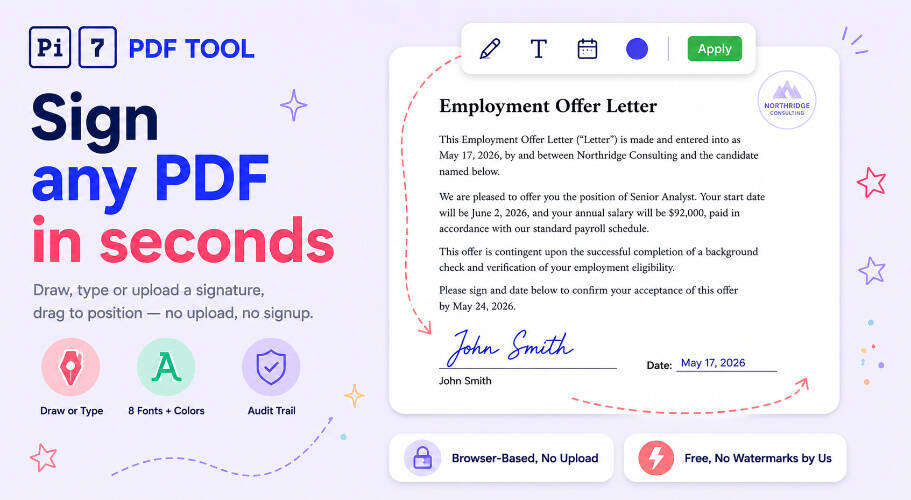
How to Sign PDF Documents Online
Four steps, nothing to install, under a minute:
- Open your PDF : Drag and drop, or click the upload area to pick a file from your phone or computer. Every page loads into the editor, with thumbnails on the left for quick jumping between pages.
- Create your signature : Click the + Signature button. You can draw with your mouse or finger, type your name in one of eight handwriting-style fonts, or upload a photo of a signed paper - the tool automatically detects your signature and crops out the rest of the page.
- Place it on the page : Click anywhere on the PDF to drop the signature. Drag to move it, pull the corner to resize, pull the top handle to rotate it. The Text and Date tools work the same way for adding your printed name and a dated signature line.
- Download : If you want a tamper-proof copy with proof of when you signed, tick Mark as digitally signed. Then click Apply & Download and your signed PDF saves to your device with no watermark.
Need to stamp a label on top after signing? Use our PDF watermark tool for DRAFT or CONFIDENTIAL labels. Want to highlight key clauses on a contract before sending it back? Drop it into our PDF highlighter.
Three Ways to Create Your Signature
Everyone has their own idea of how their signature should look, so Pi7 gives you all three common options:
- Draw : Use your mouse, trackpad, or finger on a clean drawing area. Pick your ink colour and line thickness. The lines come out smooth even if your hand is shaky. You can save up to 10 signatures and reuse them later.
- Type : Type your full name and pick from eight handwriting-style fonts. You can choose the ink colour too. The typed signature sits cleanly on the document with no white box behind it.
- Upload : Sign a piece of paper, take a photo or scan it, and upload the image. Pi7 automatically finds your signature in the photo and crops away the rest of the page. You can fine-tune the crop by dragging the corners. Then pick between the original photo and a background-removed version - one click and your signature sits cleanly on the document with no white box behind it. Works on white, cream, grey, or shadow-tinted paper.
When to Use Each Signature Method
Based on how most people use the tool:
- Draw : Best on a touchscreen (phone, tablet, iPad). A drawn signature feels closest to actually signing on paper.
- Type : Best on a desktop or laptop without a touchscreen. Looks neat and consistent every time.
- Upload : Best if you already have a clean photo of your signature, or if your company requires one specific signature on every document.
You can save up to 10 different signatures and switch between them - handy for joint accounts, family forms, or when one person signs the same kind of document over and over.
How to Add a Digital Signature to PDF
Before clicking Apply & Download, tick the Mark as digitally signed box at the top. This adds three things to your PDF:
- A summary page at the end : Shows your name (taken from the first Text field), the date and time you signed (in standard global time so it works across countries), a unique check code for the document, and a link back to Pi7.
- Hidden tracking info : The same details are written into the PDF's behind-the-scenes properties, which any PDF reader can show.
- Updated "last modified" date : Set to the moment you signed.
The unique check code is the important part. If anyone changes the PDF after you sign it, the check code will not match anymore - so the summary page acts as proof that the document is exactly the way you signed it. This level of proof is enough for everyday agreements like employment letters, NDAs, freelance contracts, rental agreements, invoices, and club paperwork. It meets the requirements of US and European electronic signature laws for these kinds of documents.
Honest note : this is not the high-end "enterprise" digital signature that some industries require (the kind that shows a green "Verified" badge in certain PDF viewers). If you work in a field like real estate closings or payroll where that exact badge is required, use a paid enterprise signing service. For everything else, Pi7's signed-and-tracked PDF is what you need - and a lot easier than signing up for a paid service.
Your PDF Never Leaves Your Device
Your privacy matters more to us than anything else. We do not upload your PDF. We do not see it. We do not store it. Everything happens inside your browser tab - your file never travels to any server.
When you draw a signature, the strokes stay on your device. When you type one, your computer draws the image locally. When you upload a signature photo, it goes nowhere - your browser reads it directly from your device. And when you save the signed PDF, it builds the new file right in your browser and downloads it straight to your device.
What this means in practice: it is fast (no upload wait even on a 70 MB PDF), there is no signup (you never give us your email), there are no daily limits, and there is no watermark on your downloaded file. For private paperwork like resignation letters, settlement agreements, or medical forms, you should never have to hand your document to a stranger's server just to sign it. Pi7 makes sure you do not have to.
If you want extra privacy, you can also run your signed file through our PDF redactor to permanently black out any personal details before sending it on.
Why Pi7 to Sign PDF Documents Free
- Free forever : No subscriptions, no hidden limits, no paid tier.
- No watermark : Your signed PDF stays clean - no "signed with X" banner across the page.
- Unlimited : Sign as many PDFs as you like, with as many signatures, text fields, or dates as you need.
- Drag, resize, rotate : Place signatures at any angle for slanted signature lines or sideways forms.
- Apply to every page : One click puts the same signature in the same spot on every page - perfect for "initial each page" contracts.
- Six text fonts and full styling : Bold, italic, colour, and font choice for every text field.
- Tamper-proof option : Embed signer, time, and a check code that meets US and European electronic signature laws.
- Smart background removal : Upload a photo of a paper signature and Pi7 cleans away the paper so your signature blends onto any document. Pick between the original and background-removed version before saving.
- Works everywhere : Any modern browser, any device - Windows, Mac, Linux, Android, iPhone, iPad. No app to install, no plugin to enable.
Ready to sign your PDF? Drop your file above, create your signature, and download the signed document in seconds.