PDF to Black and White - Grayscale Converter Online
Turn a colour PDF into grayscale or pure black and white, all pages or just some, with the text still selectable. Free, in your browser, nothing is uploaded.
This tool converts a PDF to black and white in your browser. Pick Grayscale for shades of gray or Black and white only for a clean two-tone look, choose all pages or just some, and download. In Grayscale mode the text stays selectable, because the page is recoloured rather than photographed. You can still search it, copy from it and read it on a phone.
People need this for three everyday reasons. A colour PDF costs more to print, and many office printers only print colour on request. A scanned form or ID looks cleaner and uploads smaller when the yellow paper tint and the shadows are gone. And a colour document sent to a black and white printer can come out faint where the light colours fall. Converting it yourself first shows you the result before you spend paper on it.
How to convert a PDF to black and white
- Select PDF : Drop your file on the box, or click Select PDF. A locked file asks for its password once.
- Choose Grayscale or Black and white only : The preview on the left shows the change at once. Hold Hold to see the original to compare. In Black and white only, the Darkness slider decides what counts as black.
- Pick the pages : Leave All pages, or choose Only some pages and type them, for example 1-3, 7. Pages you leave out stay exactly as they are.
- Convert PDF, then Download PDF : The tool tells you how many pages kept their text and how big the file is now. Change a setting and convert again as often as you like.
Grayscale or black and white only: which one do you need?
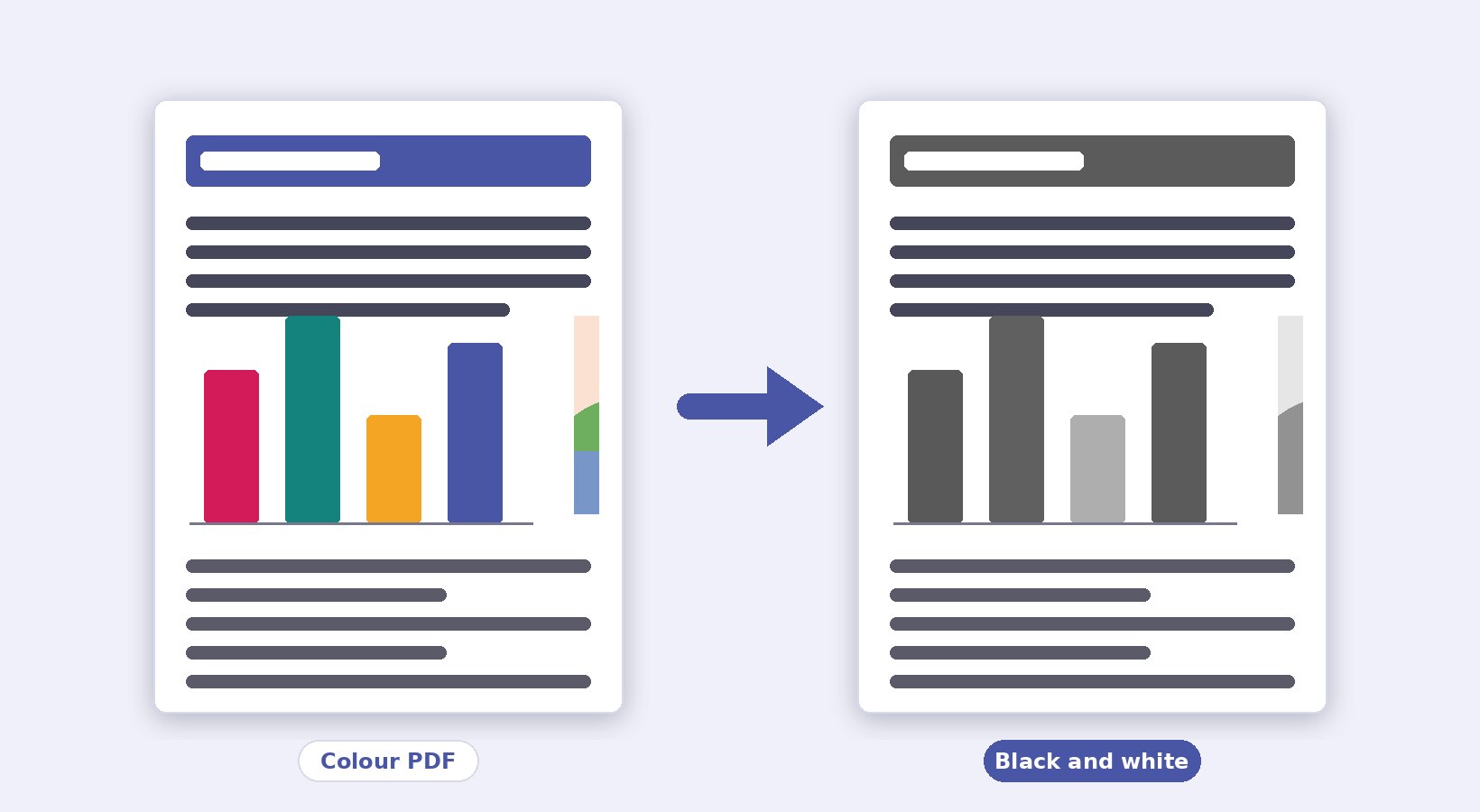
Grayscale keeps every shade between black and white. A photo stays a photo, a chart keeps its light and dark bars, and small text keeps its smooth edges. Use it for reports, slides, brochures and anything with pictures.
Black and white only keeps just two colours: every pixel becomes either black or white. That is right for scanned text, forms, receipts, signatures and stamps, where you want the paper tint, the shadows and the faint marks gone. It is also what cheap printing and fax-style documents expect. Move the Darkness slider up when thin text breaks apart, and down when a gray background or a shadow turns black.
| Your PDF | Pick | Why |
|---|---|---|
| Report, slides, e-book, anything with photos or charts | Grayscale | Shades stay, text stays selectable |
| Scanned form, ID copy, receipt, handwritten notes | Black and white only | Clean paper, dark text, smaller file |
| Colour document going to a black and white printer | Grayscale | You see where light colours go faint before you print |
| Phone-camera scan with shadows | Black and white only, Darkness 50 to 60 | Shadows become white, text becomes black |
Why the text stays selectable in grayscale
Most online converters photograph each page and give you a PDF made of pictures. The text looks the same but it is no longer text. You cannot search it, copy it or let a screen reader read it, and the file often grows. Pi7 works differently. It reads the drawing instructions inside the page and changes every colour to the gray of the same brightness. The pictures inside the page are turned gray on their own. The letters, fonts and lines are untouched, so the page is still a real document, only without colour.
Some pages use kinds of colour this method cannot rewrite, for example a few types of gradient fills or unusual picture formats. The tool checks every converted page by drawing it and looking for colour that is left. A page that would ship half converted is saved as a gray picture instead, and the result box tells you how many pages that was. If you need the text back on such a page, run the file through OCR PDF afterwards. A scanned PDF has no real text to begin with, so it comes out as pictures either way, exactly as it went in.
What happens to the file size
Grayscale with the text kept changes the size very little. The text and lines are the same instructions as before, and only the pictures are re-saved. A JPEG scan can even get a bit smaller, since a gray JPEG carries no colour data. Black and white only is where files shrink most. Each page is stored as a 1-bit picture, which packs a full A4 scan of text into a few kilobytes.
We measured it on this tool with two test files. A six-page colour document of 22 KB, with text, a chart, a photo and a logo, came out at 15 KB in Grayscale with the text kept. The same file was 34 KB in Black and white only at 200 DPI, and 184 KB as gray pictures at 150 DPI. A two-page gray JPEG scan of 88 KB stayed 88 KB in Grayscale, since there was nothing left to change. In Black and white only it shrank to 7 KB. Your numbers will differ with the pictures in your file, but the order holds. Text kept is smallest or close to it, black and white only is small for scans, and gray pictures are the biggest.
The Picture quality setting only matters for pages saved as pictures. 150 DPI is fine for reading on a screen. 200 DPI is the sensible default for printing, and 300 DPI is for small print or a print shop. If the result still needs to get under an upload limit, our Reduce PDF size tool can bring it down to a KB target.
Your PDF stays in your browser
Nothing you convert here is uploaded. The file is read by JavaScript on your own device, the pages are recoloured in your browser's memory, and the download is built there too. No copy of your document reaches our server or anyone else's. That is why the tool works offline once the page has loaded, and why there is no size limit beyond what your device can hold. Close the tab and the file is gone with it.
Faded or low-contrast scans sometimes need a contrast push before a black and white conversion looks clean. The PDF Contrast Editor runs the same way, in the browser, and its output can go straight into this tool.
Frequently Asked Questions
Can I convert only some pages to black and white?
Yes. Choose Only some pages and type them, for example 2-5, 9. The other pages are copied into the new file untouched, in their original colour.
Will the converted PDF print in black and white?
Yes. The pages contain no colour information any more, so a printer has nothing to print in colour, and the print preview shows what you saw here. Printing in grayscale from a colour printer still uses the colour cartridges on some models. If ink matters, pick your printer's black and white or draft setting too.
Why did one of my pages come out as a picture?
That page used a kind of colour the recolouring method cannot rewrite, so the tool drew the page and saved it gray rather than leave colour behind. The text on that one page is no longer selectable. OCR PDF can put the text back if you need it.
Is the black and white PDF smaller than the colour one?
Black and white only is almost always smaller, often several times smaller for scans. Grayscale with the text kept stays close to the original size, because the document itself is the same and only its pictures are re-saved in gray.
Does it work on a phone?
Yes, in Chrome, Safari, Firefox and Edge on Android and iPhone, with the same options. Big scans at 300 DPI take longer on a phone, so pick Normal or High quality there if you only need to read or upload the file.