PPT Viewer Online - Open PPT and PPTX Files Free
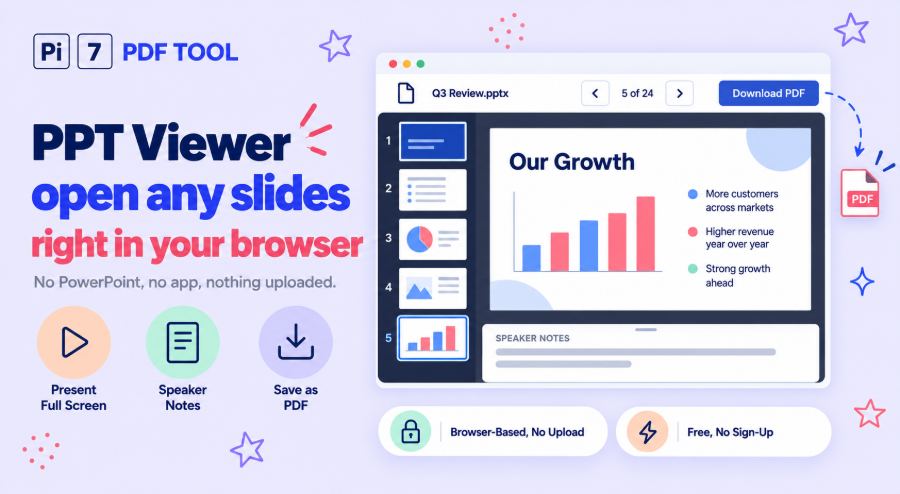
Open a PowerPoint file above to view its slides right here in your browser, with no PowerPoint and no app to install. This PPT viewer shows every slide with its pictures, charts and tables, lets you read the speaker notes and plays the deck full screen. When you want to keep a copy, the Download PDF button saves the slides as a PDF.
How to Open a PowerPoint File Online
- Click Select File, or drop your file anywhere on this page. If it has a password, type it when the page asks.
- The first slide shows in a moment. Move with the arrow buttons, the arrow keys or a swipe, or click a slide in the list of small slides.
- Click Present to play the slides full screen. Press Esc to come back.
- Click Download PDF to keep a copy of the slides as a PDF file.
What You Can Do in This PowerPoint Viewer
Slides shows or hides the list of small slides, so you can jump straight to the one you want. You can also type a number in the box between the arrows to go to that slide. Notes shows the speaker notes under each slide, the words the presenter wrote to help them talk. The zoom buttons make the slide bigger or smaller, and Fit brings it back to the size of the window.
On a computer, click the slide once and the keys work too. The arrow keys and Page Up and Page Down move between slides. Home and End jump to the first and last slide. Press F to start the show, and use plus and minus to zoom. Slides that were hidden in PowerPoint stay hidden, and a link under the viewer shows them when you want to see them.
Present Your Slides Full Screen
Present fills the whole screen with your slides on black, the way a slide show does. Click the right side of the screen or press the right arrow to go on, and click the left side to go back. On a phone, swipe. The buttons fade away after a moment and come back when you move the mouse. Animations and slide changes are not played, so each slide appears complete, all at once.
Can You Open a PPT File Without PowerPoint?
Yes. This page is a PowerPoint reader that runs in your browser, so you do not need PowerPoint, Microsoft Office or any app on your phone or computer. It works in Chrome, Edge, Firefox and Safari, on Windows, Mac, Linux, Android, iPhone and iPad. It is a handy PPT opener when someone sends you slides you only need to look at, or when you are on a computer without Office.
Which Files Does This PPT Reader Open?
.pptx, .pptm and .ppsx files from PowerPoint 2007 or newer, plus .potx templates. Older .ppt and .pps files from PowerPoint 97 to 2003 open too, and so do .odp files from LibreOffice Impress. A deck saved by Google Slides or Keynote as .pptx opens the same way. A .pptx with a password opens after you type the password. An older .ppt with a password has to be unlocked in PowerPoint first.
Save the Slides as a PDF
The viewer draws your slides into a PDF as it opens them, so Download PDF does not have to draw them again. You get one slide per page at the slide's own size, and the text stays real text you can select and search. For handouts with 2 to 9 slides on a page, or pages with your notes under each slide, use the PowerPoint to PDF converter.
Your Presentation Stays on Your Device
The file is opened and shown inside your browser tab, and it is never uploaded to a server. Nobody else can see your slides, and nothing is kept once you close the tab. A password you type for a locked file stays in the tab as well. The Excel to PDF converter on this site works the same way.
Frequently Asked Questions
Is this PPT viewer free?
Yes. There is no sign-up, no watermark on the PDF and no daily limit.
Will the slides look the same as in PowerPoint?
Very close. Text, pictures, shapes, charts and tables are drawn from the same values PowerPoint uses. If the file does not carry its own fonts, fonts with the same letter widths stand in for the originals. So a word can look a little different up close while the layout stays the same.
Can I see the animations and videos?
No. The viewer shows each slide with all its parts on screen at once, the way a printed page does. A video shows the still picture it was saved with, and sound is not played.
Can I edit the slides here?
No, this is a viewer. It shows the slides and can save them as a PDF, but it does not change your file.
Does it open large presentations?
Yes. There is no file size limit, because the work happens on your device. A deck with hundreds of big photos takes longer to get ready, and a phone needs more time than a computer.