PDF to EPUB Converter - Combine PDFs into Ebook
Convert one PDF or merge many into a single EPUB. Sort, rename, and reorder chapters, then download a clean ebook with a navigable table of contents - all in your browser.
Chapters 0
Book Settings
Convert PDF to EPUB online for free with the Pi7 PDF to EPUB converter. Drop in one PDF or twenty, sort the chapters by name or number, edit titles and metadata, and download a single EPUB ebook in seconds. Everything runs in your browser, no upload, no signup, and no watermark on the export.
EPUB is the format every modern ebook reader speaks - Apple Books, Google Play Books, Kobo, the BookFusion app, Moon+ Reader, and most e-ink readers. We built this tool because the alternative was either a paid desktop app or a slow upload-and-wait converter that rejects files above 50 MB.
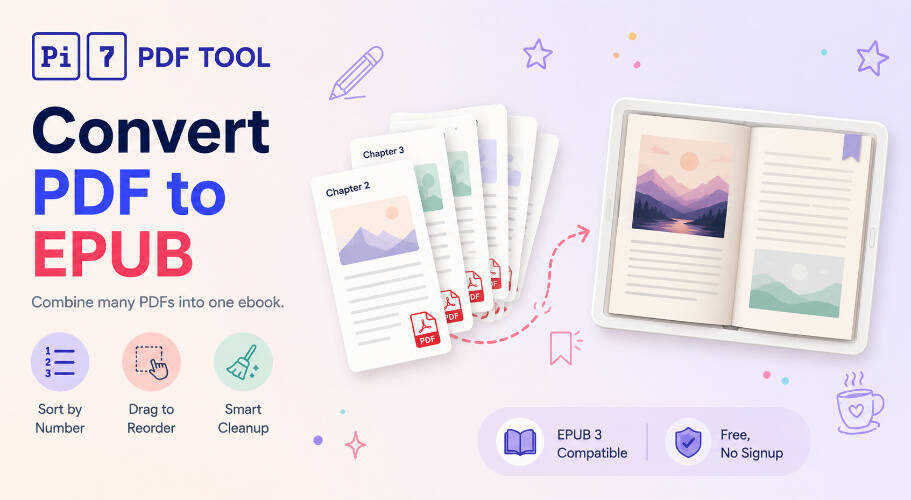
How to Convert PDF to EPUB Online
Three steps from a folder of PDFs to a finished ebook:
- Upload your PDFs : Drag and drop one or many. Each PDF becomes a chapter in the EPUB.
- Sort, rename, and add metadata : Sort by name or by number, drag chapters to reorder, rename them, then add a title and an author. Pick a cover from page 1 of the first PDF or upload your own. Choose an output mode that fits your source PDFs.
- Click Build EPUB : Pi7 processes every page, builds a table of contents, and downloads a single EPUB file. Open it in any reader.
Already converted but the file is too large? Run the source PDFs through our Reduce PDF size tool first, then come back here.
Combine Multiple PDFs into a Single EPUB
The reason most people want PDF to EPUB conversion is to read scattered PDFs as one continuous book. We tested with 20+ chapter PDFs (a textbook split per chapter), 5+ research papers, and short story collections. The flow is the same:
- Each PDF = one chapter : The chapter name defaults to the filename without the .pdf extension.
- Mix in images : Drop in JPG, PNG, WEBP, or GIF files alongside your PDFs. Each image becomes its own single-page chapter - perfect for cover art, photo plates, comic pages, or scanned manuscripts.
- Natural-number sort : "Chapter 1.pdf, Chapter 2.pdf, Chapter 10.pdf" sorts in the right human order, not the lexicographic 1-10-2 order most tools default to.
- Drag to reorder : When sort cannot help (mixed naming, missing numbers), grab the chapter handle and drag.
- Per-chapter rename : Change "Chapter_03_v2_FINAL.pdf" to "The Quiet Hours" before exporting.
When PDF to EPUB Conversion Works Well
Reflowable EPUBs are best for text-heavy documents because the reader can resize fonts, change themes, and reflow text per screen. In our testing, the converter works best on:
- Novels, short stories, essays : Single-column prose flows perfectly into EPUB.
- Research papers, articles, white papers : Mostly clean, occasional figure stays as an inline image.
- Manuals and how-to guides : Step lists, headings, and screenshots all carry across.
- Lecture notes, study material : Sectioned PDFs with clear headings get an auto-generated TOC inside the EPUB.
Where reflowable PDF to EPUB conversion struggles: heavy multi-column scientific papers (text can interleave wrong), large tables (collapse to plain rows), math-heavy PDFs (equations are images, not LaTeX), and graphic-design PDFs. For those, the converter offers four output modes: Text only for reflowable ebooks, FXL text only for pixel-positioned text without images, Image only (the default) which renders every page as a high-quality JPEG, and Fixed layout which combines page images with an invisible selectable text layer for the best of both worlds. If the source PDFs are split across many small files, our PDF merge tool can combine them into one file first - though dropping all the chapter PDFs straight into this converter usually works just as well.
Smart Text Cleanup When Extracting Text
Raw text from a PDF reads like noise if you do not clean it. In Text only and FXL text only modes, our converter does the cleanup automatically:
- Hyphen rejoin : "informa- tion" at a line break becomes "information".
- Header and footer strip : Repeating page numbers, running titles, and chapter footers that appear on most pages are detected and removed.
- Paragraph reflow : Hard line breaks inside paragraphs are collapsed so text flows naturally on any screen size.
- Heading detection : Lines significantly larger than the median font size are tagged as section headings, so the EPUB reader's nav can jump to them.
- Whitespace normalization : Multiple spaces and stray blank lines are collapsed.
Browser-Side Conversion - Your PDFs Stay on Your Device
Your privacy matters more to us than anything else. We do not upload your PDFs. We do not see them. We do not store them. Every file you drop in is read locally by JavaScript, parsed in your tab, and zipped into an EPUB right inside your browser. The bytes never travel to a server.
Open the page, add your PDFs, build the EPUB, download, close the tab - the session is gone. There is no email signup, no copy of your manuscript on a server somewhere, and no queued backup feeding into model training.
The practical knock-on benefits: it is fast (no upload time even on a 200 MB stack of PDFs), there is no rate limit because there is no shared backend, and there is no watermark on the EPUB because there is no premium tier to upsell into.
Why Choose Pi7
- Free forever : No subscriptions, no hidden limits, no premium tier.
- Unlimited use : Combine 1, 10, or 50 PDFs into one EPUB - no chapter cap.
- No watermarks : Your EPUB stays clean inside the reader.
- Auto chapter detection : PDFs with a built-in table of contents are split into separate chapters automatically.
- Smart cleanup : Hyphen rejoin, header strip, and heading detection run automatically.
- Works everywhere : Runs in Chrome, Safari, Firefox, and Edge on Windows, macOS, Linux, Android, and iOS.
Need to Go the Other Way? EPUB to PDF
If you already have an ebook in EPUB and want a printable copy, the reverse tool is right here on Pi7: EPUB to PDF converter. Pick a page size, font, and theme, and it lays the chapters out as a clean PDF in your browser. Same privacy story - no upload, no signup, no watermark.
Frequently Asked Questions
How do I convert a PDF to EPUB online?
Open the Pi7 PDF to EPUB converter, drop in one or more PDFs, sort or rename the chapters, fill in title and author, then click Build EPUB. The tool extracts text, cleans it up, and downloads a single EPUB in seconds.
Can I combine multiple PDFs into one EPUB?
Yes. Upload all the PDFs you want - each becomes a chapter. Sort by name, by number, or drag to reorder. The exported EPUB has a single navigable table of contents covering every PDF you added.
Are my PDF files uploaded to a server?
No. Every PDF stays on your device. The tool reads files locally with JavaScript and produces the EPUB right in your browser. Nothing is sent over the network.
Ready to turn that pile of PDFs into a single ebook? Drop your files above, set a title and author, and click Build EPUB.