Merge and Compress PDF in One Visit
Combine several PDFs into one file, then shrink it to an exact size like 200KB - text stays selectable.
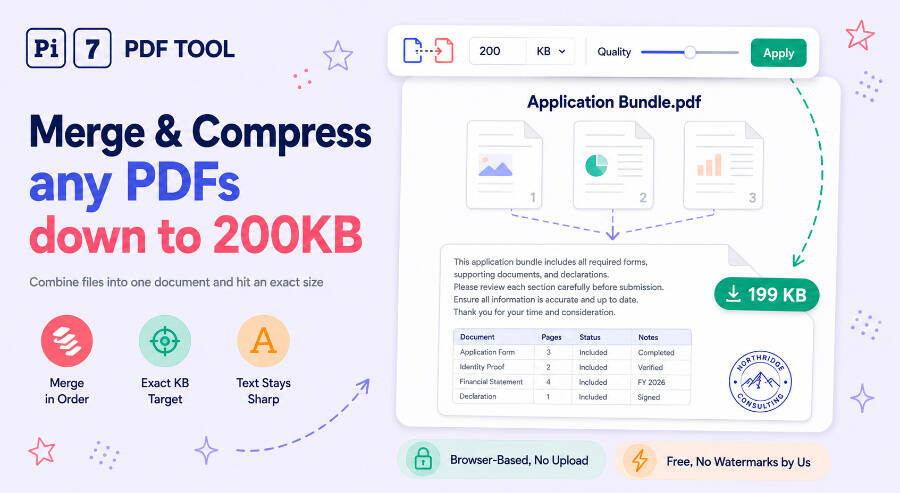
Merge and compress PDF files in one place, free and without uploading anything. Drop your PDFs above, put them in order, and merge. On the download card, tick Also compress this PDF and either pick a quality level or type an exact target like 200 KB - the tool re-encodes only the images inside the file, so every word in the compressed result is still selectable text, not a photograph of text.
This page exists because the two jobs almost always travel together. A merged file is roughly the sum of its parts, and the forms people merge FOR - visa portals, job applications, university uploads - cap attachments at a few hundred KB. Combining and compressing here means one visit, one download, and no carrying a 9 MB file between two tools.
How to Merge and Compress PDF in One Visit
- Add and arrange. Drag your PDF files onto the box - images can go in alongside them - and drag them into order. Click Merge PDF's.
- Compress on the download card. The compressor is already open below the merged file. Keep Quality and pick a level from Minimum to Maximum, or switch to Exact size and type a number in KB or MB.
- Compare and download. The card shows the compressed size next to the original - a 634 KB merge coming down to 99 KB, for example - and both versions stay downloadable.
Why Merge First and Compress Second?
Order matters more than it looks. Compressing each file separately and merging afterwards stacks two generations of JPEG artefacts on any image that both passes touch, and it leaves every file paying its own structural overhead. Merging first means the compressor sees one document, deduplicates repeated content once, and re-encodes each image exactly one time. Same tools, opposite order, visibly worse result - which is why this page wires the compress step after the merge and not before it.
Need an Exact Number, Like PDF Merge to 200KB?
Upload forms rarely say "smaller, please" - they say 200 KB. Exact-size mode runs a search over image resolution and quality until the merged file lands on your number, whether that is 100 KB, 200 KB, 500 KB or 1 MB. If the target is below what the file can reach with its text intact - fonts and the words themselves cannot be shrunk - the tool says so and hands you the smallest honest version instead. For a single PDF that is already merged, the dedicated compress PDF to 200KB page does the same search.
Compressing Multiple PDF Files Without Merging
Sometimes you want to compress multiple PDFs but keep them as separate files - three attachments, three size limits. That is a different job: use the PDF compressor, which takes up to 3 files at once and shrinks each one individually with the same text-preserving engine. Come back here when the files are meant to end up as one document at one size.
What Gets Smaller and What Stays Sharp
The compressor only re-encodes the images embedded in the merged file - scans, photos, logos. Text, fonts and vector graphics pass through untouched, which is why a compressed contract is still searchable and why its signature lines stay crisp at any zoom. It also means the reachable size depends on what the file is made of: a 12 MB scan collection can fall to a few hundred KB, while a 300 KB text-only report barely moves, because there is nothing in it worth shrinking. The card tells you which case you have rather than letting two identical downloads pretend otherwise.
Everything Happens on Your Device
Merging and compressing both run inside your browser. Your files are read locally, combined and re-encoded in memory, and written straight back to your downloads folder - no upload, no server copy, no queue. Password-protected PDFs are unlocked on your device too: you type the password, the file opens, and the password goes no further than the tab. Close the page and nothing about your documents exists anywhere but your machine. No signup, no watermark, no usage cap.
Frequently Asked Questions
Can I compress multiple PDF files without merging them?
Yes. If you want each file to stay separate, use the Pi7 PDF compressor instead - it accepts up to 3 PDFs at once and compresses each one on its own. This page is for the other case: several files that should become one document at one size.
Can the merged PDF really come out at exactly 200KB?
Usually, yes. Exact-size mode searches image resolution and quality until the file lands on your number - a 634 KB merge reaches a 100 KB target at 99 KB in testing. The exception is a file that is mostly fonts and text, which cannot go below its floor; the tool then tells you the smallest reachable size instead of pretending.
Is anything uploaded while merging and compressing?
No. Both steps run inside your browser. Files are read from your device, combined and re-encoded in memory, and saved straight back - nothing reaches a server, so there is no upload wait and nothing to delete afterwards.