Compress PDF to 20KB
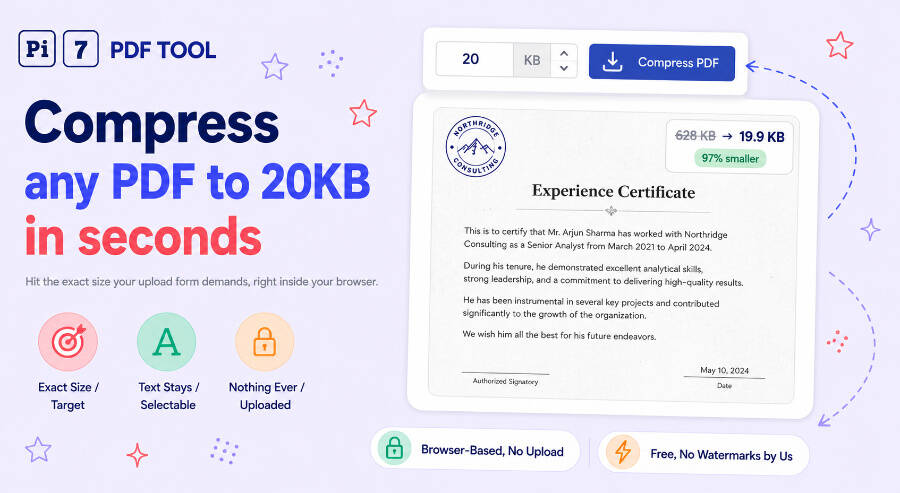
Drop your PDF above and Pi7 compresses it to 20KB in your browser. A one-page A4 scan is the realistic case at this size: in our own test a 628KB scanned page came out at 19.9KB with its text and vector content still intact. Nothing is uploaded, and the file downloads with no watermark.
What Actually Fits in a 20KB PDF
20KB is one of the tightest targets people ask for, so it helps to know what the number can hold. A single scanned page is the sweet spot. The scan is one large image, and images are where almost all the weight in a PDF sits, so the compressor has plenty to work with. It re-encodes that image at a lower resolution and quality until the file lands just under your number.
Text is the opposite story. Words, fonts and page structure cannot be squeezed the way a photo can. On a six-page report carrying a fully embedded font, we measured a floor of 217.6KB. No amount of image compression moves that number, because the file holds no images to shrink. When your target sits below that floor, Pi7 says so on the result card rather than quietly handing you something too big.
How to Compress a PDF to 20KB
- Drag your PDF onto the box above, or click Select PDF to pick it from your device.
- The target is already set to 20 KB. Leave it alone, or type a different number if the portal you are filling wants something else.
- Click Compress PDF and wait a few seconds while the work runs on your own machine.
- Download the file from the result card. The card shows the size you actually got.
You can drop several PDFs at once and each one is compressed to the same target, which saves repeating the process for a set of certificates.
When 20KB Is Below What Your PDF Can Do
If your document is text with embedded fonts, 20KB may be unreachable while the words stay selectable. Pi7 handles that in the open. First it tries the careful route, keeping text as text and shrinking only images. If that cannot reach 20KB, it converts each page into a picture of itself and shrinks that instead, which always reaches the number. The result card tells you this happened and warns that the text can no longer be selected or searched.
That trade is fine for an upload that a human will look at, such as a signature page or an ID copy. It is the wrong trade for a document someone needs to copy text from. When the words matter more than the number, try compressing to 100KB instead and check whether the portal really enforces its limit.
Uploading a Signature? You Probably Need a JPG
Many people land here trying to fit a scanned signature under 20KB, which is the band exams like SSC use. Read the form carefully first. Most Indian exam portals ask for the signature as a JPG image, not a PDF, and a PDF will be rejected however small it is. For that job use our image compressor for 20KB, which outputs a JPG at the size you set. Come back here when the portal genuinely asks for a PDF document.
Nothing Is Uploaded to Pi7
Your PDF is compressed inside your own browser tab and never travels to a server. We cannot see the file, we do not store it, and there is no queue waiting on someone else's machine. That matters at this size range, because the documents people squeeze to 20KB are usually identity papers, signatures and exam forms.
The practical effects are worth knowing. There is no upload wait, so a large scan starts compressing straight away. There is no daily quota, because no server is doing the work. Password-protected PDFs are unlocked in the browser too, and you are asked for the password on your own device. Need to strip personal details before sending a document on? Run it through the PDF redactor first.
Frequently Asked Questions
Can every PDF be compressed to 20KB?
Every PDF can be brought to 20KB, but not always with the text left selectable. Scans and image-heavy files reach it comfortably. Text documents with embedded fonts hit a floor first, and Pi7 then flattens the pages to images to reach the number, telling you on the result card that it did.
Will my 20KB PDF still be readable?
A single-page scan compressed to 20KB stays readable on a screen, though you will see the softening if you zoom in. Printing it is where the loss shows. If the upload rule allows more room, 30KB or 40KB gives a noticeably cleaner page from the same original.
How many pages can I fit in 20KB?
One page is the comfortable case. The compressor divides the budget across pages, so a three-page scan at 20KB gets under 7KB per page and each page comes out heavily softened. Split long documents first with our PDF splitter and compress the page you actually need.
Does the file end up exactly 20KB?
It lands just under, not exactly on. Our test file came out at 19.9KB against a 20KB target. That is deliberate, because portals that say "less than 20KB" reject a file sitting exactly on the line.